Home › Video Studio
The AI short video maker
you stay in charge of.
Video Studio researches ideas, writes scripts, records voices and edits short vertical videos for YouTube Shorts, TikTok, Instagram Reels and Facebook. It does the heavy lifting. You approve what it costs and how good it is.
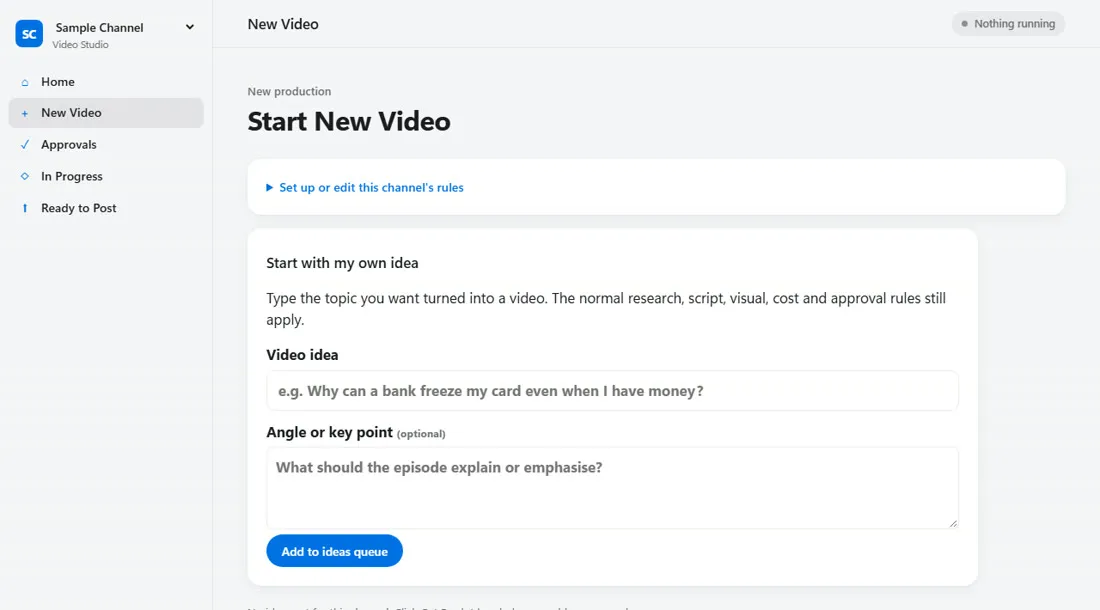
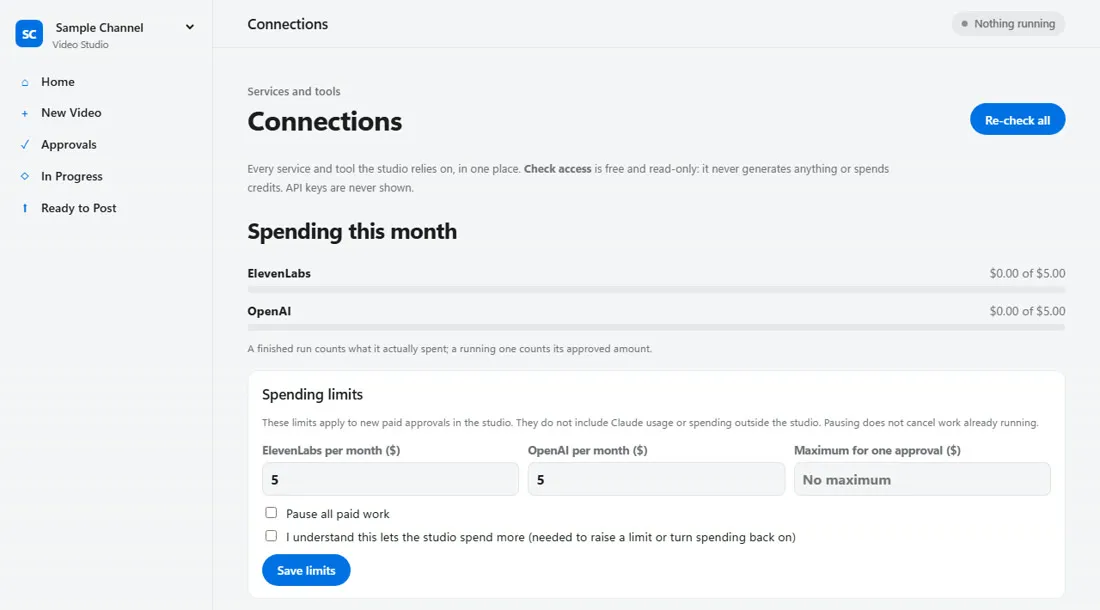
Real Video Studio screens, shown with the included Sample Channel.
Saves you hours of work
Topic research, scriptwriting, AI voiceover and video editing run on their own. You step in to make decisions, not to do the work.
You approve every cost
Set a monthly spending cap for each AI provider and a maximum per approval. Every paid step is checked against your limits first.
You approve the quality
The script, characters, voice and final video each wait for your OK. Nothing is published without you.
How it works
From an idea to a finished vertical video, with you approving the steps that matter.
Describe your channel
Its topic, tone and style, in plain words. Set it once.
Pick an idea
Ask for researched ideas, or type your own.
Approve as it builds
Script, characters, spend, voice and the final cut.
Post it yourself
Finished videos wait in Ready to Post.
Made for
Solo creators
Post regularly without spending every evening scripting, recording and editing.
Small teams
Run several channels with the same clear approvals, without hiring an editor for each one.
Complete beginners
Never made a video? Start from the included Sample Channel. No editing skills and no camera needed: videos use AI voices and visuals.
Made with Video Studio
Real videos from our own channels.
The Banking Breakdown publishes animated explainers on UK money questions. SlioneGifts uses short product clips to promote an Etsy shop.
Video Studio questions
I've never made a video before. Can I use Video Studio?
Yes. Describe your channel in plain words, or start from the included Sample Channel, and the studio does the research, writing, voices and editing. Your job is to review and approve. There is some one-off setup of a few free tools and accounts, and the installer tells you what is missing.
Does Video Studio post videos for me?
No. Finished videos appear under Ready to Post and you publish them yourself, so nothing goes out without you.
How do I keep AI costs under control?
You set a monthly limit for each AI provider and a maximum for any single approval. Paid work is checked against those limits before it runs, and one switch pauses all paid work. Provider charges are billed to your own accounts.
What do I need to run Video Studio?
A Windows PC, a Claude account signed in to Claude Code, and an ElevenLabs account for voices. The installer brings its own Python and checks for FFmpeg and Claude Code. No administrator rights are needed.
Can I run more than one channel?
Yes. Each channel has its own rules, characters and voices.
Does my content leave my computer?
Video Studio runs on your own Windows PC. Your scripts and videos stay there. Prompts go directly to the AI services you connect, under your own accounts.
Ready to start your channel?
Tell us what you'd like to make, even if you're a complete beginner, and we'll reply with pricing and how setup works.
Also from us: Follow-Up Desk, quote follow-up software for small businesses.